
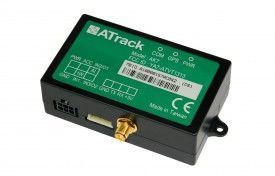


El rastreador GPS Atrack AX7 es una solución de seguimiento de vehículos que se conecta directamente al puerto OBDII del vehículo, lo que reduce los costos de instalación en flotas o vehículos. Diseñado para el control de flotas, seguimiento de vehículos o alquiler de coches, el Atrack AX7 es una opción conveniente y eficiente para monitorear la ubicación y el rendimiento de sus vehículos.
El Atrack AX7 cuenta con características técnicas destacadas que lo hacen una opción confiable para el seguimiento de vehículos. Con una banda GSM cuatribanda completa, el dispositivo ofrece una conectividad sólida y confiable. Además, cuenta con una batería de respaldo para garantizar el funcionamiento continuo incluso en caso de pérdida de energía. También cuenta con memoria interna y admite métodos de comunicación TCP y UDP para una transmisión de datos eficiente.
El Atrack AX7 ofrece una serie de características adicionales, como ahorro de energía, entradas predefinidas de pánico y eventos internos basados en la configuración. Además, cuenta con antenas internas de GPS y GSM para una recepción óptima de señales. La carcasa de plástico garantiza la durabilidad y resistencia del dispositivo.
En resumen, el rastreador GPS Atrack AX7 es una solución confiable y conveniente para el seguimiento de vehículos. Con su conexión directa al puerto OBDII del vehículo y sus características técnicas destacadas, es una opción ideal para el control de flotas, seguimiento de vehículos o alquiler de coches.
Características destacadas del Atrack AX7:
- Conexión directa al puerto OBDII del vehículo
- Banda GSM cuatribanda completa
- Batería de respaldo
- Memoria interna
- Métodos de comunicación TCP y UDP
- Ahorro de energía
- Entradas predefinidas de pánico
- Eventos internos basados en la configuración
- Antenas internas de GPS y GSM
- Carcasa de plástico duradera
Configurar AX7
Para configurar DA0 ThVxsT L16jdZQfQaBd es necesario configurarlo de siguiente manera. Con el siguiente script
- Configurar el Evento de encendido ACC
w0ssWkuby9O
2ssr2ZhDLwwQVYAYg0TCD4GwsUeI
ZHYUQzxvuRG7X7xa5dcfsEnRLmgA
PBptMVSETh9Ck - Configurar el intervalo de actualización en 60 segundos
PQGWwNzVQdh1ejdZdh - Configurar en modo binario
wBGtFINfR7sdMVzUS - Configurar el APN del operador y el servidor GPRS
WJ2QJeqHwbYoiodIcX0sYYkYbrcTvMw8K2nckgpeF9QSs50PpnyZpBY99CIWskQwFc9LO8LQ7
Para verificar el estado del rastreador use hxEIHbQU5