
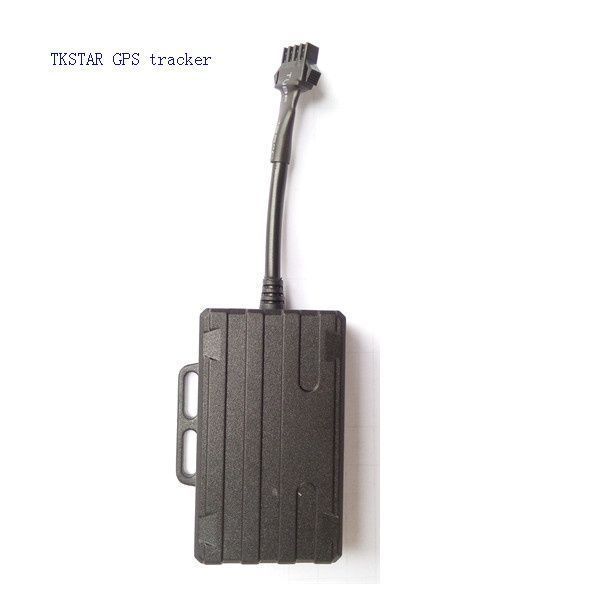


The TK-Star XE210 GPS tracker is a versatile and reliable device that allows you to locate and monitor remote targets with ease. It utilizes the existing GSM/GPRS/WCDMA/LTE network and GPS satellites to provide accurate and real-time tracking information. Whether you need to keep an eye on your vehicle, loved ones, or valuable assets, this tracker has got you covered.
One of the standout features of the TK-Star XE210 is its advanced GPS and AGPS dual positioning technology. This ensures that you get precise and reliable location data, even in areas with weak GPS signals. The tracker also supports various tracking methods, including SMS, APP, and Internet, giving you multiple options to monitor your targets.
With a compact and lightweight design, the TK-Star XE210 is easy to install and conceal. It features a rechargeable 3.7V 370mAh Li-ion battery that provides a standby time of up to 1 day. The tracker also offers a range of useful features, such as low battery alarm, vibration alarm, historical route tracking, remote voice monitoring, geo-fencing, over-speed alarm, and more. Whether you're managing a fleet of vehicles or simply want to keep tabs on your personal belongings, this GPS tracker is a reliable and efficient solution.
Key Features:
- Advanced GPS and AGPS dual positioning technology
- Supports GSM/GPRS/WCDMA network
- Compact and lightweight design
- Rechargeable 3.7V 370mAh Li-ion battery
- Multiple tracking methods: SMS, APP, and Internet
- Low battery alarm
- Vibration alarm
- Historical route tracking
- Remote voice monitoring
- Geo-fencing
- Over-speed alarm
- Long standby time
- Street view map
- Automobile fleet management
- WeChat view
- Multi-platform query
- APP view
- Anti-detection
Set Up XE210
To set the tracker send the following commands by SMS messages, the sample setup the device password is cqsoFq, this password is the default
- Restore factory settings
begincqsoFq - Set the operator APN
apncqsoFq {{apn}} - Set the APN username
apnusercqsoFq {{apnu}} - Set the APN password
apnpasswdcqsoFq {{apnp}} - Set the GPRS server
adminipcqsoFq 54.85.159.138 8888 - Set the update interval to 60 seconds
uploadcqsoFq 60 - Switch to GPRS mode
gprscqsoFq